如何设置Flashnote开机启动

 时间:2026-04-25 09:45:49

1、点击“Flashnote”

如何设置Flashnote开机启动

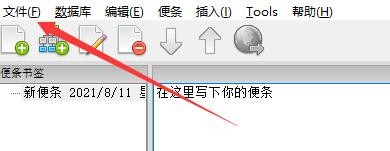
2、在“Flashnote”窗口中,点击“文件”

如何设置Flashnote开机启动

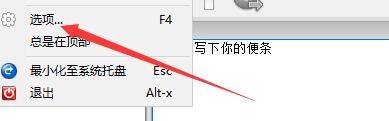
3、在弹出下拉栏中,点击“选项”

如何设置Flashnote开机启动

4、在“选项”窗口中,点击“一般设定”

如何设置Flashnote开机启动

5、在“一般设定”窗口中,勾选“开机启动”

如何设置Flashnote开机启动

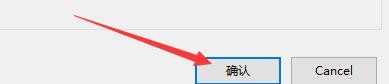
6、点击“确认”即可

如何设置Flashnote开机启动

  • 如何设置Flashnote查找新的便条名称
  • 如何设置Flashnote退出确认提示
  • QQ如何设置开机启动
  • 腾讯文档如何设置开机启动
  • 如何设置Flashnote从剪贴板创建新编条
  • 热门搜索
    网络推广的方法 油菜怎么做好吃 小学生手抄报图片大全 虾怎么做好吃又简单 嫁接方法 我的世界船怎么开 甲状腺结节怎么治疗最好的方法 小名大全男孩 西安理工大学怎么样 家常酱牛肉