PotPlayer怎么设置默认场序为下图场优先

 时间:2026-04-23 07:14:28

1、首先,点击左上角中更多选项

PotPlayer怎么设置默认场序为下图场优先

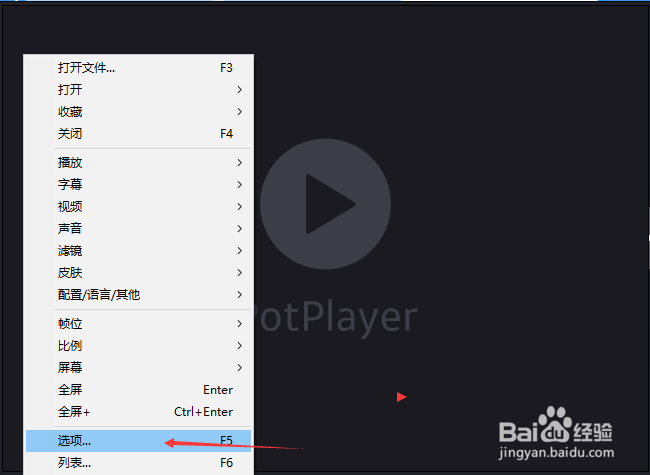
2、弹出了下拉菜单选择选项

PotPlayer怎么设置默认场序为下图场优先

3、点击左侧中反交错选项

PotPlayer怎么设置默认场序为下图场优先

4、点击默认场序选项

PotPlayer怎么设置默认场序为下图场优先

5、弹出了下拉菜单选择为下图场优先

PotPlayer怎么设置默认场序为下图场优先

6、选择为下图场优先之后,点击确定

PotPlayer怎么设置默认场序为下图场优先

  • 小米Pro15怎么打开单声道音频
  • PR软件经常卡顿怎么办?
  • a7sm2使用教程
  • 如何使用Win10系统自带Groove音乐播放器
  • edius时间码怎么去掉
  • 热门搜索
    香料大全 骆驼肉好吃吗 盗墓电影大全 怎么系鞋带好看 微信聊天记录怎么看 绶带的佩戴方法 心率不齐怎么办 肚胀怎么办 貔貅开光方法 结肠炎最佳治疗方法