1、打开Windows服务工具窗口自动打开;

2、在右侧窗口中,找到“CNG Key Isolation”服务项;
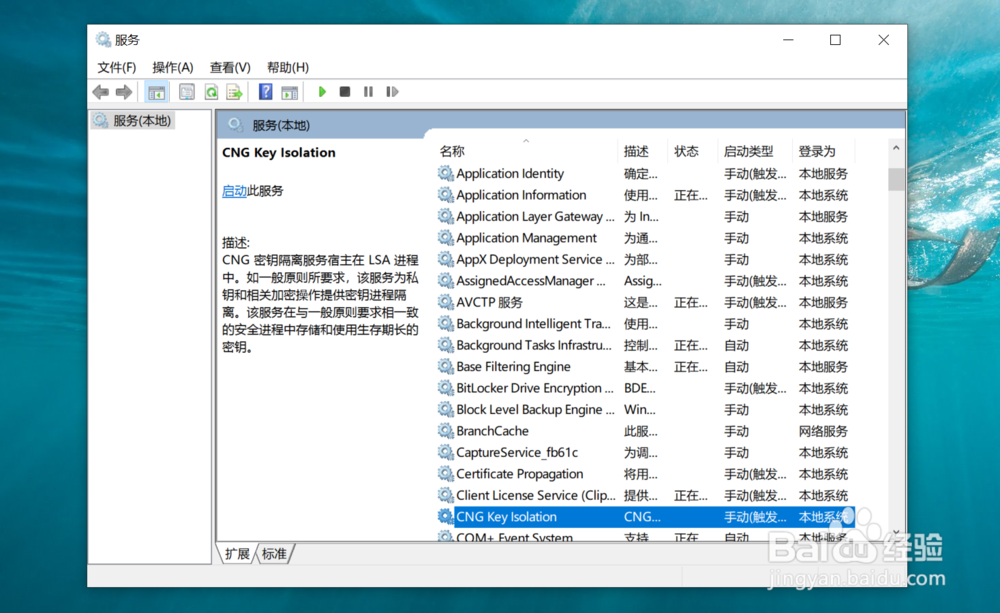
3、双击打开CNG Key Isolation的属性对话框;

4、点击对话框中的“启动”按钮;

5、系统服务自动启动;

6、CNG Key Isolation的属性对话框中,出现“正在运行”的字样,代表着系统服务启动完成。

时间:2026-04-23 08:06:44
1、打开Windows服务工具窗口自动打开;
2、在右侧窗口中,找到“CNG Key Isolation”服务项;
3、双击打开CNG Key Isolation的属性对话框;
4、点击对话框中的“启动”按钮;
5、系统服务自动启动;
6、CNG Key Isolation的属性对话框中,出现“正在运行”的字样,代表着系统服务启动完成。
