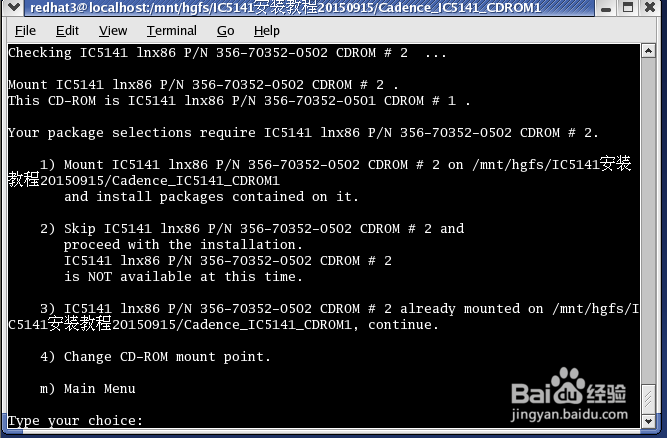
1、Checking IC5141 lnx86 P/N 356-70352-0502 CDROM # 2 ...
Mount IC5141 lnx86 P/N 356-70352-0502 CDROM # 2 .
This CD-ROM is IC5141 lnx86 P/N 356-70352-0501 CDROM # 1 .
Your package selections require IC5141 lnx86 P/N 356-70352-0502 CDROM # 2.
1) Mount IC5141 lnx86 P/N 356-70352-0502 CDROM # 2 on /mnt/hgfs/IC5141安装 教程20150915/Cadence_IC5141_CDROM1
and install packages contained on it.
2) Skip IC5141 lnx86 P/N 356-70352-0502 CDROM # 2 and
proceed with the installation.
IC5141 lnx86 P/N 356-70352-0502 CDROM # 2
is NOT available at this time.
3) IC5141 lnx86 P/N 356-70352-0502 CDROM # 2 already mounted on /mnt/hgfs/IC5141安装教程20150915/Cadence_IC5141_CDROM1, continue.
4) Change CD-ROM mount point.
m) Main Menu
Type your choice:
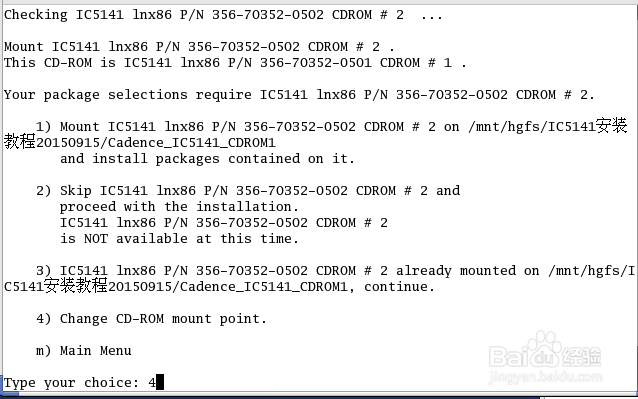
2、Type your choice: 4
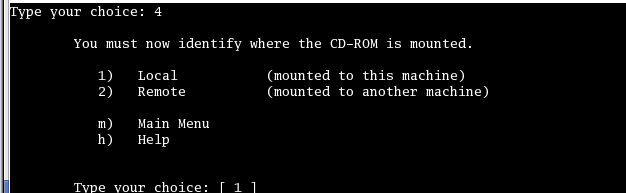
You must now identify where the CD-ROM is mounted.
1) Local (mounted to this machine)
2) Remote (mounted to another machine)
m) Main Menu
h) Help
Type your choice: [ 1 ]
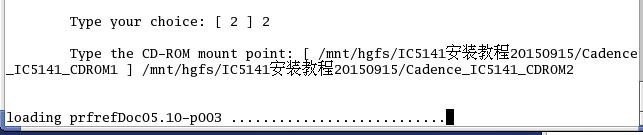
3、CD2安装中
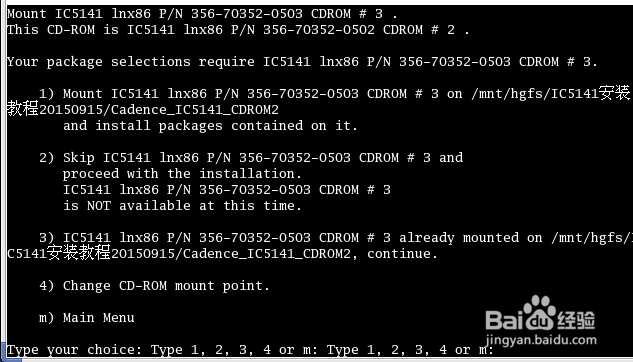
4、Mount IC5141 lnx86 P/N 356-70352-0503 CDROM # 3 .
This CD-ROM is IC5141 lnx86 P/N 356-70352-0502 CDROM # 2 .
Your package selections require IC5141 lnx86 P/N 356-70352-0503 CDROM # 3.
1) Mount IC5141 lnx86 P/N 356-70352-0503 CDROM # 3 on /mnt/hgfs/IC5141安装 教程20150915/Cadence_IC5141_CDROM2
and install packages contained on it.
2) Skip IC5141 lnx86 P/N 356-70352-0503 CDROM # 3 and
proceed with the installation.
IC5141 lnx86 P/N 356-70352-0503 CDROM # 3
is NOT available at this time.
3) IC5141 lnx86 P/N 356-70352-0503 CDROM # 3 already mounted on /mnt/hgfs/IC5141安装教程20150915/Cadence_IC5141_CDROM2, continue.
4) Change CD-ROM mount point.
m) Main Menu
Type your choice: Type 1, 2, 3, 4 or m: Type 1, 2, 3, 4 or m:
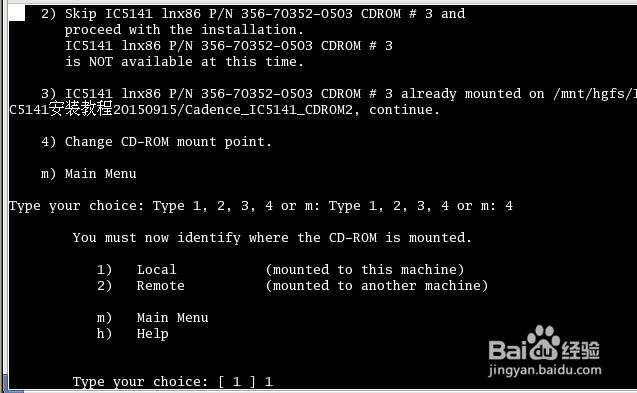
5、2) Skip IC5141 lnx86 P/N 356-70352-0503 CDROM # 3 and
proceed with the installation.
IC5141 lnx86 P/N 356-70352-0503 CDROM # 3
is NOT available at this time.
3) IC5141 lnx86 P/N 356-70352-0503 CDROM # 3 already mounted on /mnt/hgfs/IC5141安装教程20150915/Cadence_IC5141_CDROM2, continue.
4) Change CD-ROM mount point.
m) Main Menu
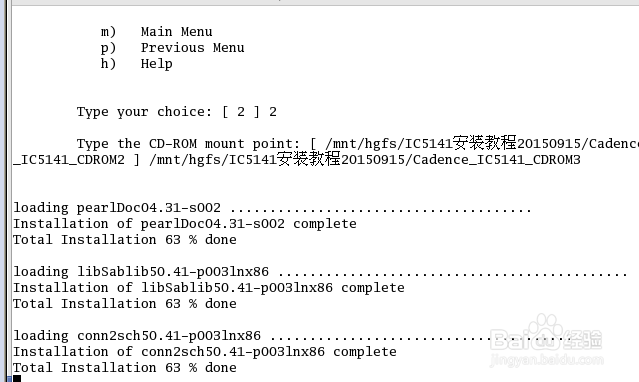
Type your choice: Type 1, 2, 3, 4 or m: Type 1, 2, 3, 4 or m: 4
You must now identify where the CD-ROM is mounted.
1) Local (mounted to this machine)
2) Remote (mounted to another machine)
m) Main Menu
h) Help
Type your choice: [ 1 ] 1
6、-------------------MAIN MENU----------------------
The available options are:
1) Load Available Products
2) List Installed Products
3) Remove Installed Products
4) Configure Installed Products
5) (unavailable option) Test Installed Products
6) Update Installed Products
h) Help
q) Quit
Type your choice: [ 1 ]
5) (unavailable option) Test Installed Products
6) Update Installed Products
h) Help
q) Quit
Type your choice: [ 1 ] 2
Specify the operating system of the products:
No. Operating system
1) SunOS Operating System (sun4)
2) Solaris Operating System (sun4v)
3) Linux Operating System (lnx86)
4) HP-UX Operating System (hppa)
5) IBM AIX Operating System (ibmrs)
Type your choice [ 1 - 5 ]:3
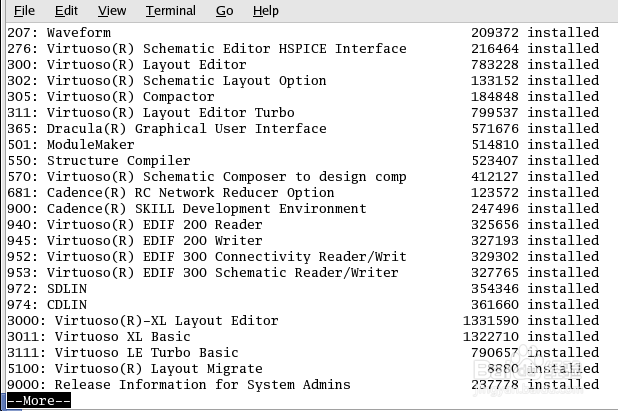
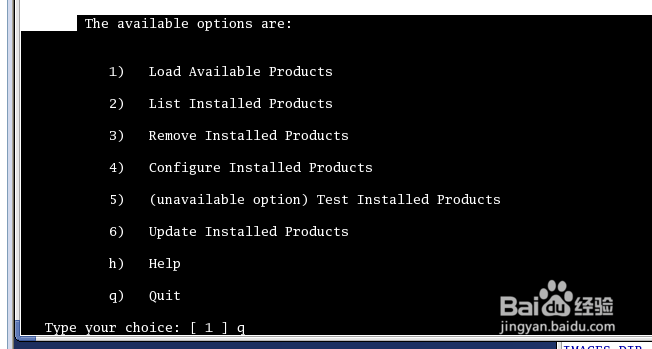
7、The available options are:
1) Load Available Products
2) List Installed Products
3) Remove Installed Products
4) Configure Installed Products
5) (unavailable option) Test Installed Products
6) Update Installed Products
h) Help
q) Quit
Type your choice: [ 1 ] q
8、以下安装参考:Cadence IC5141超详细安装教程(五)
